
Korea eSIM vs SIM Card: Which Should You Buy Before Your Trip?
If your phone supports eSIM and is unlocked, a Korea eSIM is usually the easier option. You can buy it online and install it with a QR code before your trip, without visiting a carrier counter at Incheon Airport. A physical SIM is still a good choice if your phone doesn’t support eSIM or you’d prefer help from counter staff. Just check what the plan includes: a data-only SIM or eSIM won’t let you make regular outgoing calls or send SMS messages.
Here’s how the two options compare, what to know about Korean 010 numbers, and how to set up either one.
Korea eSIM vs SIM Card at a Glance
| eSIM | Physical SIM | |
|---|---|---|
| Where you get it | Buy online and receive a QR code. Some carrier plans are also available for airport pickup | Carrier counters at Incheon (T1 and T2), Gimpo and Gimhae, or online reservation for airport pickup |
| Phone requirement | eSIM-compatible and carrier-unlocked | Carrier-unlocked, with a physical SIM slot |
| 5-day unlimited plan from SKT, KT or LG U+ | Third-party listings report prices around ₩24,700–₩27,500 for some plans | Around ₩27,500 at the counter in the cited listings |
| Korean number | Depends on the specific plan | Depends on the plan; check whether voice service and a 010 number are included |
| Setup | Install the eSIM yourself | Counter staff can help install the SIM and check the connection |
Prices are based on the Nomad eSIM comparison of the three carriers and a Roafly guide checked on August 31, 2026. These are reference prices, not guaranteed current rates. The final cost depends on the carrier, plan and purchase channel, so check the provider’s own page before paying.

When an eSIM Is the Easier Choice
The main advantage of an eSIM is convenience. You can install it at home or over hotel Wi-Fi before you travel. If your phone supports dual SIM, you can usually keep your regular SIM installed while using the eSIM for mobile data. That lets you keep your home number available, although roaming charges may apply depending on your carrier and settings.
The best-value plan depends on how much data you expect to use. Korean carrier plans often offer unlimited data for a fixed number of days, while international eSIM providers also sell plans with set data allowances.
According to a price comparison dated October 10, 2026, a 5 GB plan valid for 30 days costs around $10 to $12 from Nomad, Airalo and Saily, while a 10 GB plan from Ubigi costs $14. These figures come from a travel eSIM seller’s comparison, so use them as a rough guide and check the current prices directly. Nomad and Ubigi also list 7-day unlimited options at $25, with high-speed data allowances and speed restrictions that depend on the plan.
Travelsim Asia’s guide suggests budgeting at least 3 to 5 GB for a one-week trip. Your actual usage will depend on how often you navigate, stream videos, upload photos or use social media. Naver Map and KakaoMap are useful navigation options in Korea, so allow for their data use as well. If you plan to use your phone as a hotspot, check the plan’s tethering rules and fair-use policy before buying.
When a Physical SIM Still Makes Sense
A physical SIM is the practical option if your phone doesn’t support eSIM. LG U+ also lists Google Pixel and OPPO devices among the models that may not be supported by its eSIM service, and notes that phones purchased overseas can have compatibility issues. Support varies by model and provider. To check your device, dial *#06# and look for an EID in the information displayed. You should also confirm compatibility with the provider before purchasing.
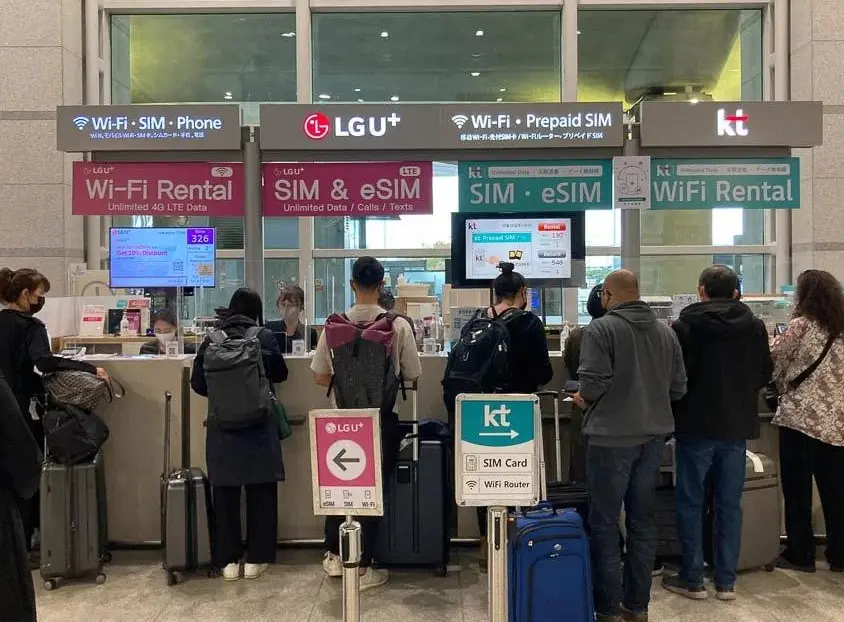
A physical SIM is also useful if you’d rather have someone help with setup. LG U+ says counter staff can help activate the SIM. The plan’s validity period and activation rules depend on the product, so check them before purchase. The main drawbacks are possible queues at the airport and the need to keep your home SIM somewhere safe after removing it.
If you reserve online for airport pickup, note that LG U+ states that a reservation is automatically canceled if the scheduled pickup date has passed by seven days.
Do You Need a Korean 010 Number?
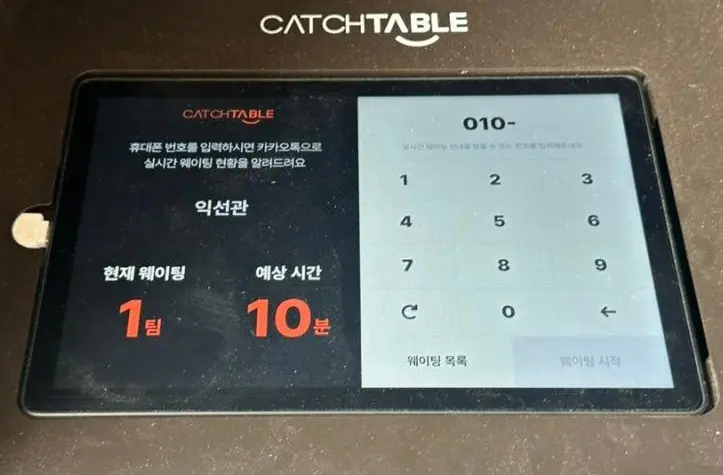
That depends on what you plan to do in Korea. Travelers often worry about needing a Korean number for restaurant reservations, but CatchTable Global allows sign-up with an email address or a Google or Apple account, without requiring a Korean phone number. Some in-person waiting-list kiosks and Korean-only apps may still ask for one.
If you need a Korean number, check the exact plan before buying:
- Data-only plans don’t support regular outgoing calls or SMS messages. LG U+ states that SMS verification for restaurant and taxi apps isn’t available with its data-only service.
- Data + Voice plans from LG U+ are available at airport counters, according to the provider’s product information. Outgoing calls and texts require a top-up. Nomad’s comparison lists a minimum top-up of ₩5,500, which it says provides about 20 minutes of talk time. Confirm the current terms before relying on that figure.
- Reseller listings vary. Some eSIM products advertise a Korean 010 number, while Nomad says its SKT prepaid eSIM doesn’t include one. Don’t assume that every Korean eSIM comes with a local number; check the details of the specific plan.
A tourist phone number also has limitations. LG U+ says its tourist plans don’t support identity verification for banking or government services. Having a 010 number therefore doesn’t guarantee that you’ll be able to register for every Korean app.
How to Set Up a Korea eSIM Before You Fly
- Check your phone. Dial *#06# and look for an EID. Its presence generally indicates eSIM capability, but you should still confirm that your specific model is supported and that the phone is unlocked.
- Choose a plan. Check the validity period and when the plan starts counting. LG U+ states that its data eSIM must be activated within 60 days of purchase.
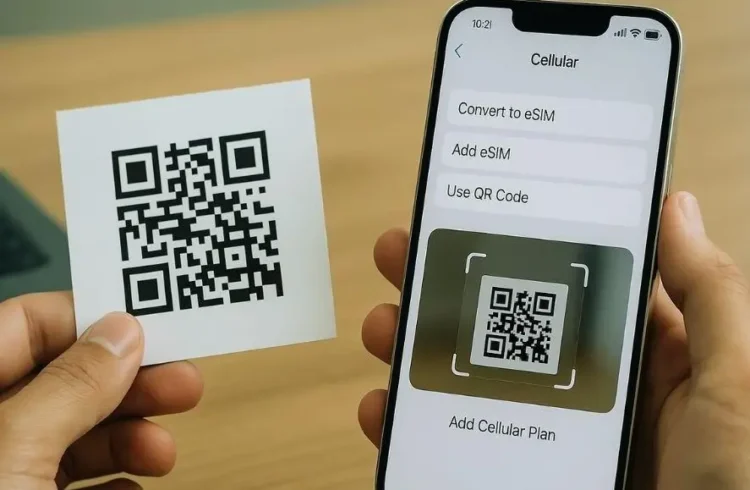
- Install the eSIM over Wi-Fi. On an iPhone, go to Settings > Cellular (or Mobile Service) > Add eSIM, then follow the provider’s instructions to scan the QR code. On Android, the menu varies by manufacturer and software version; look under Settings for SIM Manager, SIMs or a similar option.
- Activate it at the right time. Select the eSIM for mobile data when instructed by the provider. LG U+ says its eSIM works in Korea only and needs an internet connection to complete activation. Follow the provider’s instructions on when to install and activate it.
- Keep the eSIM installed. LG U+ states that its eSIM can’t be reinstalled or reissued once installed and that purchases aren’t refundable after payment. Check these terms before proceeding, since policies may differ between providers.
If the eSIM doesn’t connect, first check that the line is enabled and that mobile data is assigned to the correct SIM. Restarting the phone may also help. If the problem continues, follow the provider’s troubleshooting instructions before resetting network settings, as the available settings and steps vary by device.
How to Pick Up a SIM at the Airport
- Reserve online if the carrier offers it. Airport pickup reservations may be available for Incheon, Gimpo and Gimhae.
- Find the carrier counter after immigration. Incheon has carrier service counters in both terminals, but the exact location depends on the provider.
- Show your passport. Carriers use passport details to register tourist SIM services.
- Ask staff to install the SIM and check the connection. Confirm that mobile data works before leaving the counter.
- Keep your home SIM somewhere safe. You’ll need it again if you plan to reinstall it after your trip.
Counter hours weren’t confirmed for this article. If your flight arrives late at night, check the provider’s official page for the correct terminal and current opening hours before relying on airport pickup.
Articles you might find helpful:
👉 Incheon Airport to Seoul at Night: Late-Night Bus Routes, Fares, and Where to Board
👉 Korean Trash Disposal Guide for Tourists: Street Bins, Trash Bags, and Recycling
A Couple Things That Aren’t So Obvious
Buying online may cost less than paying at the airport counter, but the difference depends on the carrier and plan. The cited listings put some 5-day plans at around ₩24,700 online and ₩27,500 at the counter. Treat those figures as examples rather than guaranteed prices, and compare the final price for the exact plan you’re considering.
Price isn’t the only difference between a Korean carrier plan and an international eSIM. A carrier plan uses the carrier’s own network, while an international eSIM connects through the networks available under its provider’s agreements. Coverage and performance depend on location, network access and the specific plan. SKT is often described as having strong coverage, but that general reputation shouldn’t be treated as a measured ranking for every destination.
Before you buy, check two things: whether your phone supports the SIM format you choose and whether the plan includes the data, calls or Korean phone number you need. Those details matter more than whether the product is an eSIM or a physical card.